





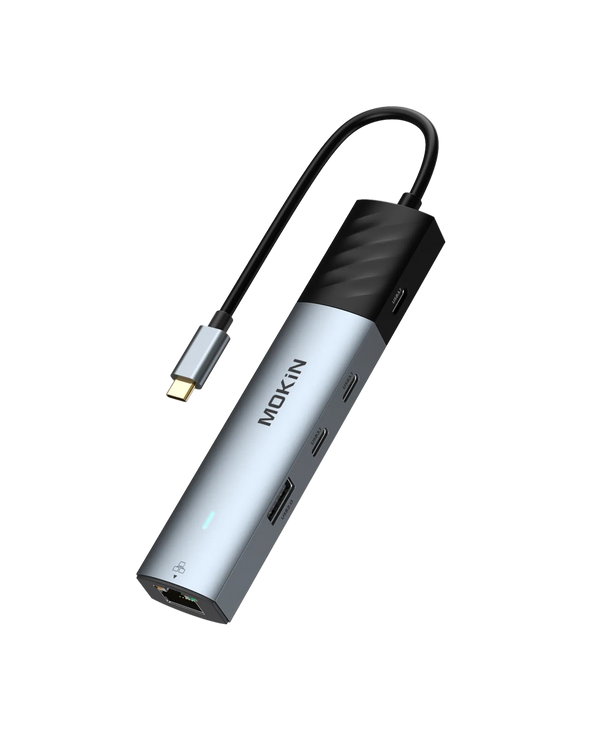


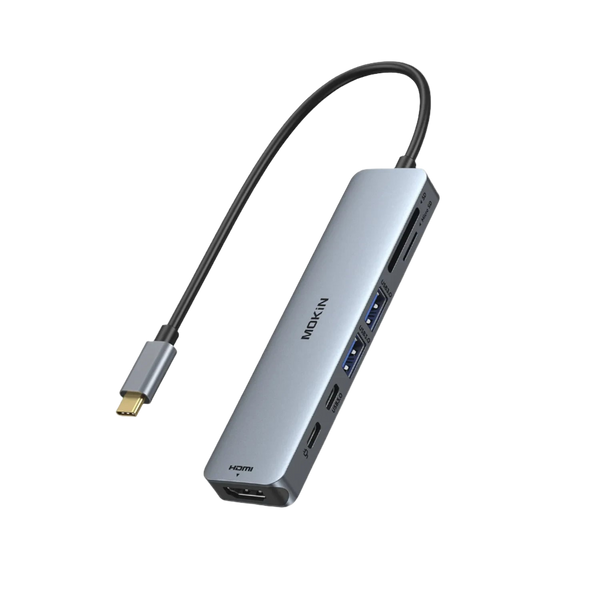


Premium USB-C Hubs: The Ultimate Upgrade for Mac & PC
The modern laptop design philosophy prioritizes portability and sleek aesthetics, often at the cost of connectivity. As manufacturers reduce port counts to slim down chassis, professionals and creatives face a productivity bottleneck. A robust USB-C docking station or hub acts as the critical bridge in this equation, restoring the functionality required for complex digital workflows.
At MOKiN, our mission is "Empowering Your Devices." We engineer advanced connectivity solutions that allow you to maximize the capability of your hardware. Whether you are a video editor requiring high-speed data transfer or a business professional needing multi-monitor support, our ecosystem ensures your technology adapts to your needs, not the other way around.
The Strategic Value of Expanded Connectivity
Integrating a USB-C hub into your daily setup does more than add ports; it streamlines your interaction with technology. Instead of constantly swapping cables or choosing between charging your laptop and using an external drive, a centralized hub manages all peripherals simultaneously. MOKiN focuses on making smart technology accessible, ensuring that complex engineering translates into a simple, plug-and-play experience for the user.
Defining Your Connectivity Needs
Understanding the distinction between a portable adapter and a stationary dock helps in selecting the right tool.
- Mobile Professionals: Users who work from cafes or travel frequently benefit from compact solutions like the MOKiN 10 IN 1 USB C Hub Multiport Adapter. It offers a balance between video output and USB connectivity without the bulk.
- Stationary Power Users: For permanent desk setups, a comprehensive USB-C docking station provides the stability and port density required for desktop-replacement performance.
Visual Performance: Multi-Monitor Solutions
Expanding your digital workspace across multiple screens significantly increases efficiency. MOKiN provides specialized adapters designed to drive high-resolution displays without signal degradation.
For users requiring dual or triple monitor setups, the MOKiN 16-in-1 Laptop Docking Station with Triple Monitor Support serves as a command center, allowing you to view distinct content across three screens. Similarly, the MOKiN 8 IN 1 Laptop Docking Station USB C to Dual HDMI Adapter offers a streamlined approach for users who specifically need dual HDMI output for presentations or extended desktops.
High-Fidelity Video Output
Standard adapters often cap refresh rates at 30Hz, resulting in laggy cursor movement. MOKiN prioritizes performance. The MOKiN 8 IN 1 USB C Dock Dual 4K@60Hz DisplayPort ensures that designers and gamers experience smooth, crisp visuals, maintaining the high standards expected from modern monitors.
Speed and Efficiency: Data Transfer Protocols
Time remains a critical resource. Waiting for files to transfer hinders momentum. MOKiN integrates high-speed protocols to keep pace with your workflow.
- 10Gbps Transfer Rates: The MOKiN 7 IN 1 10Gbps Compact USB C Hub Adapter and the MOKiN USB C Hub With 10Gbps 4 Ports For Laptop utilize USB 3.2 Gen 2 technology. This allows for data movement at twice the speed of standard USB 3.0 hubs, ideal for photographers moving large RAW files.
- Thunderbolt 4 Architecture: For the ultimate in speed and bandwidth, the MOKiN 16-IN-1 Thunderbolt™ 4 Laptop Docking Station offers 40Gbps transfer rates, supporting the most demanding peripherals and uncompressed video streams.
Tailored Engineering for Apple Users
MacBook Pro and Air users often require specific form factors to maintain the aesthetic and functionality of their devices. A generic USB-C adapter may hang loosely; therefore, we developed flush-mounted solutions.
The MOKiN 7 IN 2 USB C Adapter for MacBook Pro/Air connects directly to the dual USB-C ports on the side of the MacBook, creating a seamless extension of the chassis. For those needing legacy connections, the MOKiN 9‑in‑1 USB‑C Adapter for MacBook Pro/Air and the MOKiN 7‑in‑1 Multiport USB‑C Hub Mac Dongle provide essential ports like HDMI, SD card readers, and USB-A, ensuring you can connect to projectors and older peripherals without issue.
Innovation in Interaction: Smart Displays
MOKiN strives to redefine connectivity by adding intelligence to standard hardware. Troubleshooting a connection often involves guesswork. We eliminated this uncertainty.
The MOKiN 13-IN-1 Laptop Docking Station with 2.26-inch LCD Smart Display and the MOKiN 7-in-1 USB C Hub with Smart LED Display & PD 100W feature integrated screens. These displays provide real-time data on connection status and charging wattage. This transparency allows you to verify that your laptop receives optimal power and that all peripherals communicate correctly.
Comprehensive Power Solutions
Connectivity requires power. MOKiN extends its engineering expertise to charging solutions that complement our hubs.
- On-the-Go Power: The MOKiN Portable Charger with 10000mAh Power Bank (Built-in USB-C Cable) and 65W Wall Charger is a hybrid device. It functions as a standard wall adapter and a portable battery, ensuring your workflow continues even when you are away from an outlet.
- Compact Efficiency: The MOKiN 45W Dual Port Foldable GaN Charger with Built-in Retractable Type C Cable for iPhone utilizes Gallium Nitride (GaN) technology to deliver high-speed charging in a miniature form factor, perfect for powering the devices connected to your hub.
Comparative Analysis: Selecting Your Hub
Review the specifications below to identify the USB-C hub or dock that aligns with your hardware requirements.
| Product | Primary Function | Monitor Support | Ideal For |
|---|---|---|---|
| MOKiN 16-IN-1 Thunderbolt™ 4 Laptop Docking Station | High-End Docking with 40Gbps Bandwidth. | Quad Monitor Support (Windows). | Video Editors and Data Scientists requiring maximum speed. |
| MOKiN 13-IN-1 Laptop Docking Station with 2.26-inch LCD Smart Display | Smart Docking with Visual Feedback. | Triple Display. | Tech Enthusiasts and IT Professionals who value real-time data. |
| MOKiN 7 IN 2 USB C Adapter for MacBook Pro/Air | Direct Attachment / Flush Mount. | Dual Display. | MacBook users seeking a seamless, cable-free aesthetic. |
| MOKiN 7 IN 1 10Gbps Compact USB C Hub Adapter | High-Speed Data Transfer. | Single 4K Output. | Photographers and Content Creators moving large files. |
| MOKiN 5-Port Ultra Slim USB 3.0 Data Extender | Basic Port Expansion. | None (Data focus). | General office use and connecting peripherals like mice and keyboards. |
| MOKiN 8 IN 1 USB C Hub Multiport Adapter for MacBook Pro | Visual Expansion. | Dual HDMI / 4K Output. | Presenters and Analysts needing reliable external display connections. |
Maximizing Your Workspace Potential
Choosing the correct USB-C adapter involves assessing your current limitations and future goals. If your work involves managing extensive spreadsheets across multiple screens, a triple-monitor dock serves you best. If you require portability for client presentations, a compact HDMI adapter fits the bill.
MOKiN stands as an enabler of the digital age. By providing essential tools that integrate and expand your technological environment, we ensure that you stay connected and efficient. Browse our selection to find the hardware that will power your productivity.
Frequently Asked Questions (FAQ)
A USB-C hub is typically smaller, portable, and draws power from the laptop, designed for expanding ports on the go. A USB-C docking station is generally larger, intended for stationary desk use, often comes with its own power supply, and supports more monitors and higher data transfer speeds.
Yes, most MOKiN hubs feature Power Delivery (PD) pass-through. This allows you to connect your laptop's USB-C charger to the hub's PD port, charging your laptop while simultaneously using the other ports for data and video. Please check the specific model's wattage rating (e.g., 100W PD) to ensure it meets your laptop's requirements.
Achieving 4K@60Hz requires three elements: a monitor that supports this resolution/refresh rate, a high-quality HDMI/DisplayPort cable, and a laptop graphics card capable of DP 1.4 output. If your laptop only supports DP 1.2, the output may be limited to 4K@30Hz.
Yes, MOKiN USB-C hubs are compatible with iPad Pro models and many Android tablets that feature a USB-C port. You can use them to connect external drives, keyboards, and HDMI monitors, effectively turning your tablet into a workstation.
Yes, it is normal. As the hub processes data, video signals, and power delivery, the internal chips generate heat. MOKiN uses aluminum alloy casings to dissipate this heat effectively, protecting the internal components. The warmth indicates the heat dissipation is working correctly.
Most MOKiN adapters are plug-and-play for macOS, Windows, and ChromeOS, requiring no manual driver installation. However, for docking stations utilizing DisplayLink technology (often used for extending displays on M1/M2 MacBooks), you must install the DisplayLink Manager software.