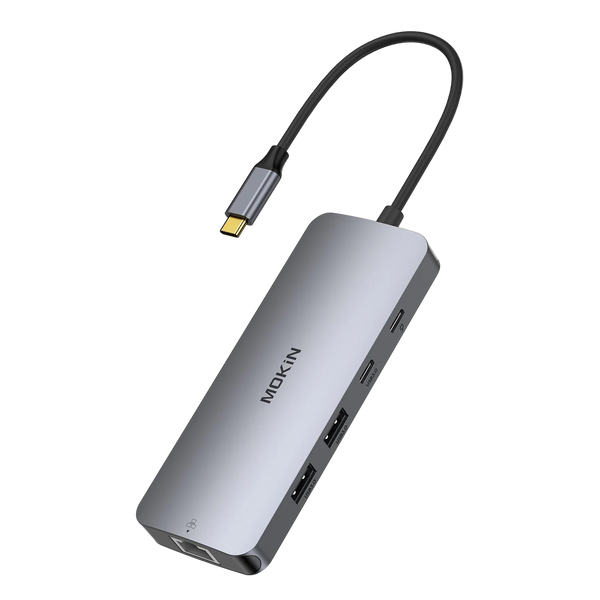

MOKiN 13-in-1 aluminum docking station with multiple ports for dual monitors
$56.99 USD$36.99 USD
Dual 4K HDMI for Expanded Screen Productivity One-Touch Privacy Control with Physical Lock Button 10Gbps Data Transfer and Gigabit Ethernet Streamline Your Workflow With One Dock Dual 4K monitors, 100W...
MOKiN 14-in-1 USB-C docking station with silver aluminum body and multiple ports
$49.99 USD$42.99 USD
Triple Monitor Support for Enhanced Multitasking One-Touch Screen Lock for Privacy Protection Gigabit Ethernet and 5Gbps USB for Reliable Performance Expand Your Workspace With One Dock Connect multiple displays, devices,...
MOKiN 8 in 1 USB-C docking station with dual HDMI, DisplayPort, VGA, USB-A and Ethernet
$39.99 USD
Compatibility: This hub only compatible with those laptop with thunderbolt or full function USB C port. Note - If you Windws laptop is with DP1.2 : The resolution and refresh...
MOKiN 8-in-1 USB-C docking station with dual DisplayPort, HDMI, VGA, USB-A and USB-C ports
$39.98 USD
Note - If you Windws laptop is with DP1.2 : The resolution and refresh rate will be: Extend one monitor(DP1/HDMI) : 4K@60Hz Extend 2 monitors(DP1 + DP2/HDMI): 4K@30Hz + 4K@30Hz...
FAQ about MST Hub
Q: What is MST, and how does it work with this hub?
Q: What is the maximum resolution my MST Hub can handle, and will I need to install any special drivers or software to get it working?
Q: How does this USB-C MST Hub handle audio output when connecting to multiple monitors, and can it support separate audio channels for each display?
Q: Can this USB-C MST Hub be daisy-chained with other display adapters to further expand the number of monitors connected to my laptop?
Q: Does this USB-C MST Hub support the use of a single USB-C cable for data, video, and power delivery to my laptop, simplifying my workstation setup?
Q: Is this USB-C MST Hub compatible with laptops that have USB-C ports but do not support DisplayPort Alt Mode?