

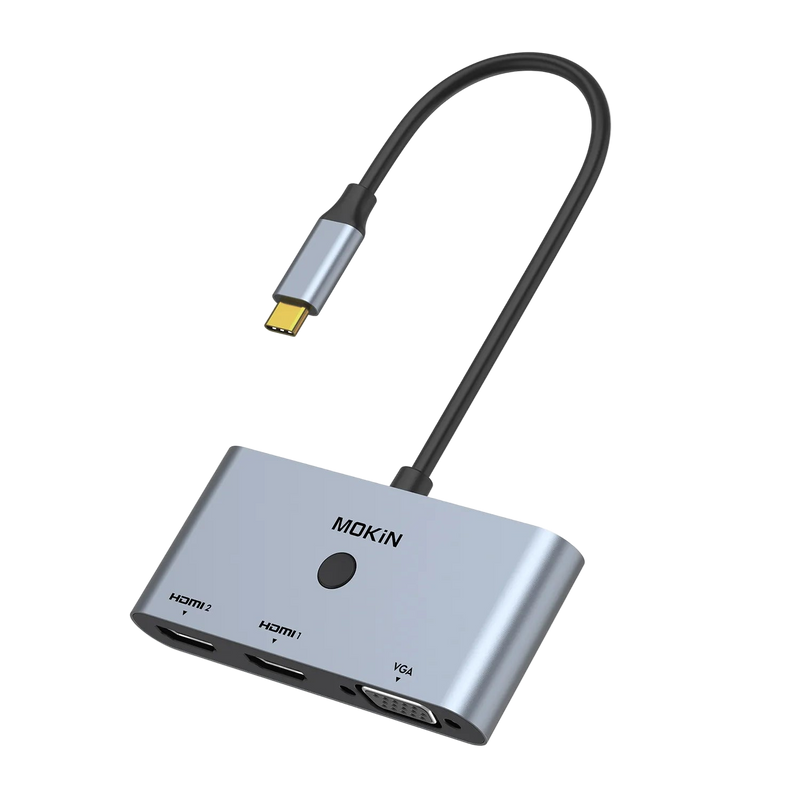
Mokin 3 IN 1 USB C to Dual HDMI VGA Adapter
Mokin 3-IN-1 USB C Hub
USB C Adapter - Windows with DP1.4
USB C Adapter - macOS with DP1.4
Cast Screen Button for macOS/Windows
4K@60Hz Visual Feast
1080@60Hz with VGA Connection
The  Compatibility of USB C to Dual HDMI VGA Adapter

MOKiN 3 IN 1 USB C to Dual HDMI VGA Adapter

$29.99 USD
SKU: MOUC0706-US

Expand your screen in seconds with the USB-C Adapter. Connect dual HDMI and VGA displays for triple-screen productivity, stream in 4K, and switch modes instantly with the dedicated cast button. A compact, plug-and-play solution for flexible presentations and multitasking.

  • USB-C to Dual HDMI and VGA Adapter
  • Triple Display with Ultra HD 4K Output
  • Cast Screen Button Design
  • 4K HDMI & 1080p VGA Video Output
  • Requires Thunderbolt or Full-Function USB-C Port on Your Laptop

PAY WITH EASE

visamastermaestrojcbamerican expressunionpayapple paypaypal
3 IN 1 USB-C HDMI VGA Adapter 3 IN 1 USB-C HDMI VGA Adapter

  • 3-in-1 USB C Adapter: USB C to Dual HDMI and VGA Adapter signals from a PC equipped with a USB Type-C terminal can be output simultaneously to a display, TV, projector, equipped with HDMI or VGA input terminal.

  • Triple Display and Ultra HD 4K Output: The adapter supports both MST (Extended) and SST (Mirrored) modes on Windows. Using a single HDMI port, it can achieve up to 4K@60Hz with a DP1.4 source. When driving two HDMI monitors simultaneously, the resolution is up to 4K@30Hz per monitor. In any dual or triple display configuration that includes the VGA port, the maximum output is 1080p@60Hz.
    (❤️Note: Mac OS DOES NOT support triple display, it only supports mirror mode and non-mirror mode. Non-mirror mode means that the three external monitors arethe same but different from the laptop.)

  • Cast Screen Button Design: For Windows system: bring up the 4 options of laptop PC: screen only/ mirror/ extend/ second screen only, and press the button again to switch between the 4 options; For macOS system: Switch between the extend & mirror modes of the external screen; Besides, Short press the button to quickly turn off/ wake up the extended screen when you don't want it to be displayed. It can protect your privacy faster and save time plugging and unplugging the USBC dock.

  • 4K HDMI & 1080p VGA Output: The HDMI and VGA ports can operate simultaneously. A single HDMI port supports a maximum resolution of 4K@60Hz. When both HDMI ports are active, each supports up to 4K@30Hz. Thunderbolt 3 to VGA resolutions up to 1080p @60Hz, downward compatible with 1080i, 720p, 576p, 480i /480p.

  • Compatibility: Please ensure your laptop has Thunderbolt or full-function USB-C ports before purchasing this laptop docking station dual monitor. If you're unsure whether this docking station monitor is suitable for your laptop, simply share your laptop model with us, and we'll verify compatibility.
  • HDMI & VGA Output HDMI & VGA Output
    Multiple Display for Windows with DP1.4 Multiple Display for Windows with DP1.4
    Multiple Display for Windows with DP1.2 Multiple Display for Windows with DP1.2
    Multiple Display for macOS with DP1.4/DP1.2 Multiple Display for macOS with DP1.4/DP1.2
    Cast Screen Button for macOS/Windows Cast Screen Button for macOS/Windows
    Compact & Portable Compact & Portable
    Extensive Compatibility Extensive Compatibility
    Check the Compatibility before your purchase Check the Compatibility before your purchase
    FAQ
    Q: Why is there no display on my external monitors when connected via HDMI or VGA?
    Q: Why can't my Mac laptop extend its display to external monitors?
    Q: Does it include the power cord?
    Q: What should I do if I encounter any problems during use?