



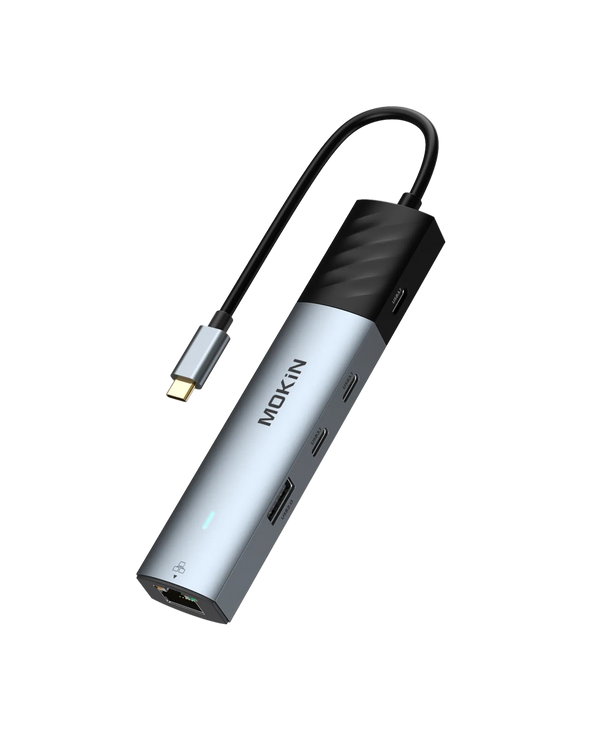


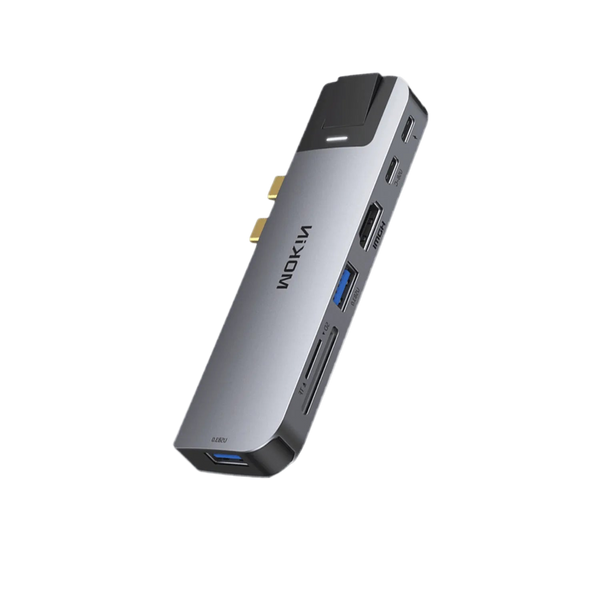


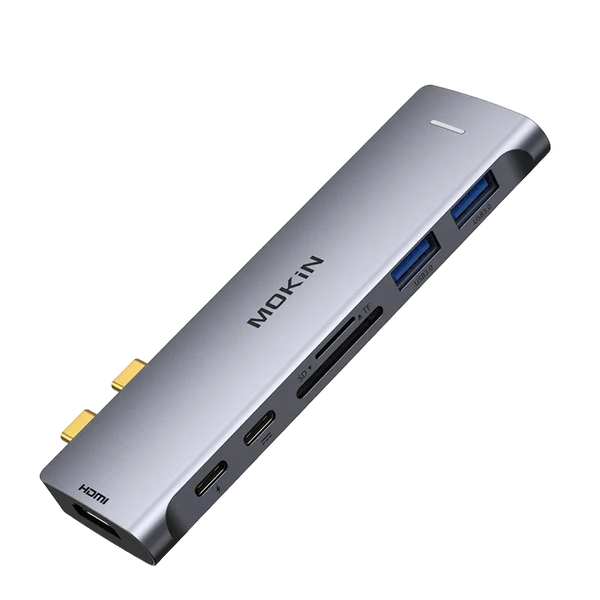


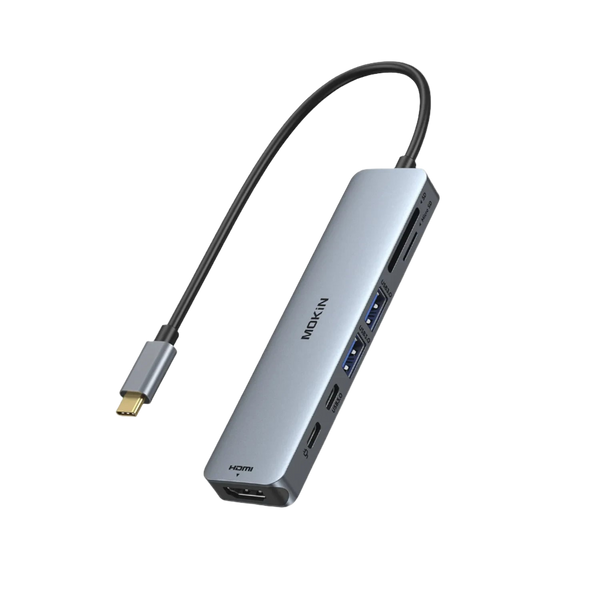


Expand Your Connectivity: Unlock More Ports with Hub & Adapter
Modern laptops favor slim profiles, often sacrificing the variety of ports required for a high-functioning workstation. At MOKiN, we bridge this gap by providing high-performance hardware designed to consolidate your peripherals into a single, reliable connection point. Whether you need to drive multiple 4K displays, transfer massive video files, or ensure a lag-free wired internet connection, our selection of USB-C Hub and USB-C Docking Station solutions provides the stability your workflow demands.
Optimize Your Workflow with High-Speed Connectivity
The transition to USB-C has streamlined charging and data, but the need for legacy ports and specialized outputs remains. A dedicated USB-C Adapter acts as a central nervous system for your desk, allowing you to link external drives, keyboards, and monitors simultaneously. MOKiN engineering focuses on heat dissipation and signal integrity, ensuring that every connected device performs at its peak specification without interference.
Selecting the Right Hub for Your Technical Needs
Choosing between a portable hub and a stationary docking station depends on your mobility requirements and the complexity of your peripheral array.
- Mobile Professionals: Compact hubs provide the necessary ports for presentations and travel without adding bulk to a laptop bag.
- Creative Editors: High-speed SD card slots and 10Gbps USB ports are vital for offloading footage quickly.
- Power Users: Multi-monitor setups benefit from docking stations with independent power delivery and high-refresh-rate video outputs.
Comparative Analysis of MOKiN Connectivity Solutions
To assist in your selection, the following table compares three of our most popular models based on their primary technical capabilities and specialized features.
| Feature | MOKiN 8-in-1 Adapter (MOUC0317) | MOKiN 7-in-1 Hub (MOUC0551) | MOKiN 12-in-1 Dock (MOUC0552) |
|---|---|---|---|
| Video Output | 1x HDMI (4K@60Hz) | 1x HDMI (4K@60Hz) | 2x HDMI (Dual 4K) |
| Data Speed | 5Gbps | 5Gbps | 10Gbps |
| Power Delivery | 100W PD Input | 100W PD (85W to Laptop) | 100W PD |
| Ethernet | 1000Mbps (Gigabit) | N/A | 2500Mbps (2.5G) |
| Special Feature | Dual Card Readers | Smart LCD Status Screen | Innovative LCD Display |
| Best Use Case | All-in-one Portability | Real-time Power Monitoring | Professional Desktop Setup |
Advanced Video Performance and Display Expansion
A primary reason for investing in a USB-C Hub is the ability to extend your desktop across larger screens. MOKiN adapters utilize high-bandwidth protocols to support 4K resolution at 60Hz refresh rate. This higher refresh rate is critical for reducing eye strain and ensuring smooth cursor movement compared to the standard 30Hz found in generic alternatives.
MOKiN 8-in-1 USB-C Adapter (MOUC0317)
The MOUC0317 is a powerhouse for those who require a mix of legacy and modern connections. It features:
- 4K Ultra HD Output: Experience crisp visuals on any compatible monitor.
- Integrated SD/microSD Slots: Ideal for photographers who need to move files directly from a camera.
- Gigabit Ethernet: Provides a secure, wired alternative to unreliable Wi-Fi signals.
MOKiN 7-in-1 USB-C Hub with Smart LCD (MOUC0551)
This model caters to users who value transparency and hardware health. The built-in LCD screen provides real-time data on:
- Charging Wattage: Monitor exactly how much power your laptop is receiving.
- Data Link Status: Confirm that your peripherals are communicating at their intended speeds.
- Resolution Feedback: Instantly see the output specs of your connected display.
Enterprise-Grade Docking for Maximum Productivity
For those managing a complex ecosystem of hardware, a USB-C Docking Station offers a more permanent and powerful solution. Unlike basic adapters, these stations often include specialized networking and higher data throughput for demanding tasks.
MOKiN 12-in-1 USB-C Docking Station (MOUC0552)
The MOUC0552 is designed to be the centerpiece of a professional office. It stands out through several high-end specifications:
- Dual Monitor Support: Increase your screen real estate by connecting two 4K monitors simultaneously.
- 2.5Gbps Ethernet Port: Future-proof your networking with speeds 2.5 times faster than standard Gigabit ports.
- 10Gbps Data Transfer: Spend less time waiting for file backups and more time on creative execution.
- LCD Visual Interface: A sophisticated display that monitors connection stability and power distribution.
Technical Considerations for Performance Stability
Power Delivery (PD) and Throughput
Our hubs support up to 100W Power Delivery. It is important to note that the hub itself requires a small amount of power, typically 15W, to run the internal circuitry and power connected USB devices. This ensures that even with a full load of peripherals, your laptop receives a steady, safe charge.
Heat Management and Build Quality
Processing 4K video signals and high-speed data generates heat. MOKiN utilizes high-grade aluminum alloy housings. This material choice serves two purposes:
- Durability: Protects internal components during transport.
- Thermal Regulation: Acts as a passive heat sink to maintain optimal operating temperatures during extended use.
Plug-and-Play Architecture
Our connectivity solutions are driver-free. This removes the barrier of software installation, allowing for immediate use across Windows, macOS, ChromeOS, and Linux. This compatibility extends to tablets and smartphones equipped with functional USB-C ports.
Frequently Asked Questions about USB-C Hub Usage
Dual monitor functionality depends on your laptop's USB-C port specifications. To output to two displays, your device must support DisplayPort Alt Mode or Thunderbolt 3/4. Some laptops, such as base-model MacBooks with M1, M2, or M3 chips, only support a single external display natively through a standard hub.
It is normal for a USB-C Hub to feel warm, especially when using HDMI and Power Delivery simultaneously. The aluminum casing is designed to draw heat away from the internal chips to prevent overheating. We recommend keeping the hub in a ventilated area during heavy use.
If you use a 100W wall charger, the hub will pass approximately 85W to your laptop, reserving 15W for the hub’s internal functions and any connected USB peripherals. This is a standard safety feature to prevent disconnects when plugging in new devices.
Yes, provided your mobile device has a USB-C port that supports data and video output, such as the iPad Pro, iPad Air, or high-end Android flagship phones. This allows you to connect your phone to a monitor or use a physical keyboard and mouse for productivity.