


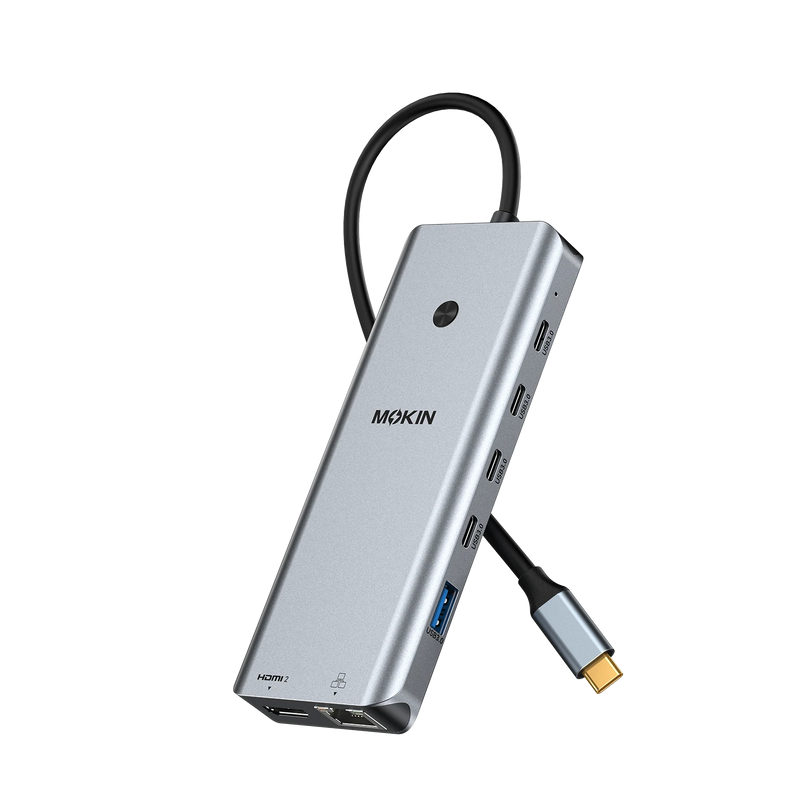


MOKiN 13-in-1 USB-C Docking Station for Laptop Connectivity
Build a more efficient desktop setup with expanded connectivity, dual-screen support, and streamlined device management. Ideal for office work, remote setups, and content creation.
- Dual 4K HDMI for Expanded Screen Productivity
- One-Touch Privacy Control with Physical Lock Button
- 10Gbps Data Transfer and Gigabit Ethernet
Shop with Confidence
PAY WITH EASE


Streamline Your Workflow With One Dock
Designed for professionals and multi-device users, this dual-monitor laptop docking station integrates 2 HDMI ports, an RJ45 Ethernet port, 4 USB-C 3.0 ports, 2 USB-A 3.0 ports, 2 USB-A 2.0 ports, and a USB-C power charging port (100W max). It helps reduce cable clutter and expand connectivity—creating a more organized, efficient workspace. Compatible only with laptops featuring Thunderbolt 3/4 or full-function USB-C ports.


Dual 4K@60Hz displays for Windows laptops. This USB-C hub supports two external monitors via DP1.4 protocol, expanding your screen space for more efficient multitasking at work and at home.


For macOS users: Due to OS limitations, Macs only support SST mode. All connected monitors will mirror the same display—extended desktop is not supported.


Simply short-press the button to turn off connected displays, helping you protect sensitive information in shared workspaces or open work environments.


▪ Blazing-Fast Data Transfer and Wired Network: Designed for smooth daily workflows, multiple 5Gbps USB ports enable fast file transfers up to 10× faster than USB 2.0, while the 1000Mbps RJ45 Ethernet port ensures stable connectivity for video calls, large downloads, and online work or entertainment.
▪ 100W PD Charging for Your Laptop and Devices: The dedicated USB-C Power Delivery port supports up to 100W charging, allowing users to keep their laptop powered during work or multitasking. Note: Package includes product, user manual, and two cables; charger not included. Make sure a 100W adapter is available to meet the requirements for charging under full load.


- Choosing a selection results in a full page refresh.