16 IN 1 Laptop Docking Station
Multiple Display Docking Station
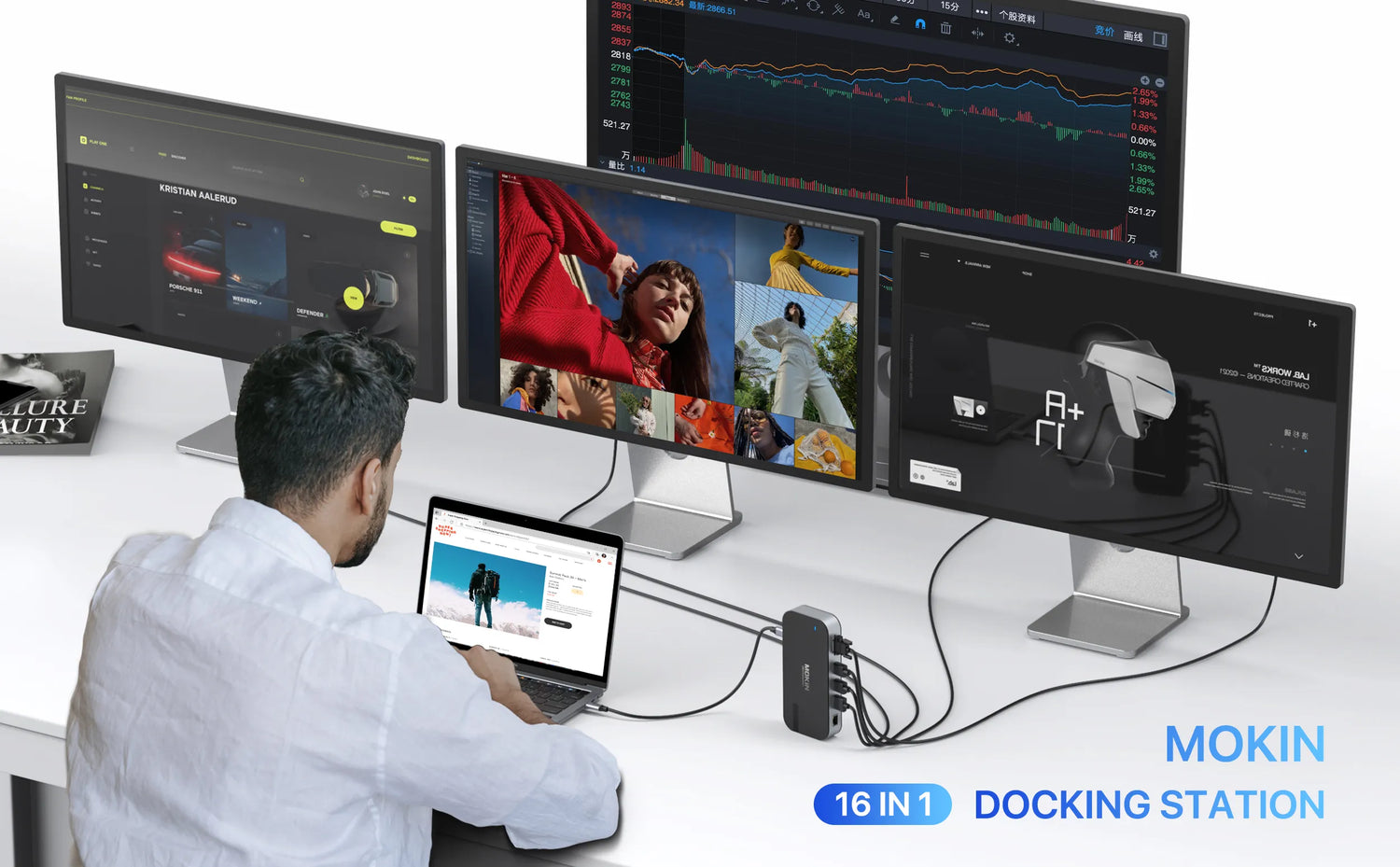
Quadruple Monitor Display
Quadruple Display Mode
USB 3.1 Fast Transfer File
100W  Fast Charging(Input 100W,Output 85W)
Gigabit Ethernet

MOKiN 16-in-1 Laptop Docking Station for Triple Monitors

$119.99 USD $79.99 USD SAVE $40.00 USD
SKU: MODK0701

This 16-in-1 USB-C dock unlocks your ultimate workspace. It features triple display support, 10Gbps ultra-fast transfer, 100W laptop charging, and stable Ethernet. Triple screens expand your vision, while one-cable simplicity keeps your desk clean and focused.

  • Extend to 2 Different Monitors (USB-C Laptops)
  • Reliable Data Transfer Up to 10Gbps
  • SD / Micro SD Card Slots
  • Supports 100W Input & 85W Safe Output
  • 1Gbps Ethernet for Stable Connectivity

PAY WITH EASE

visamastermaestrojcbamerican expressunionpayapple paypaypal

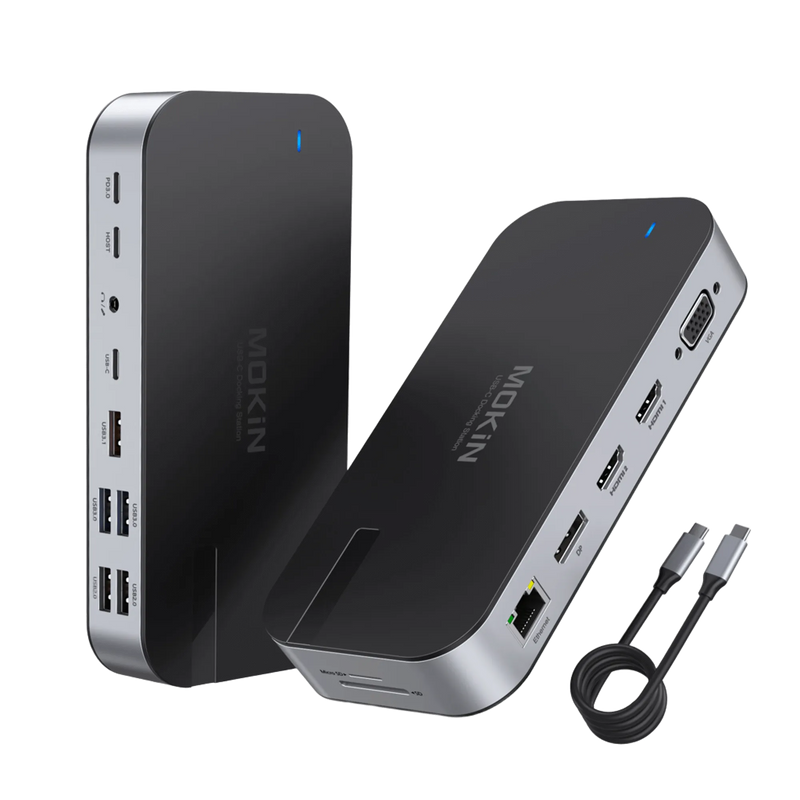
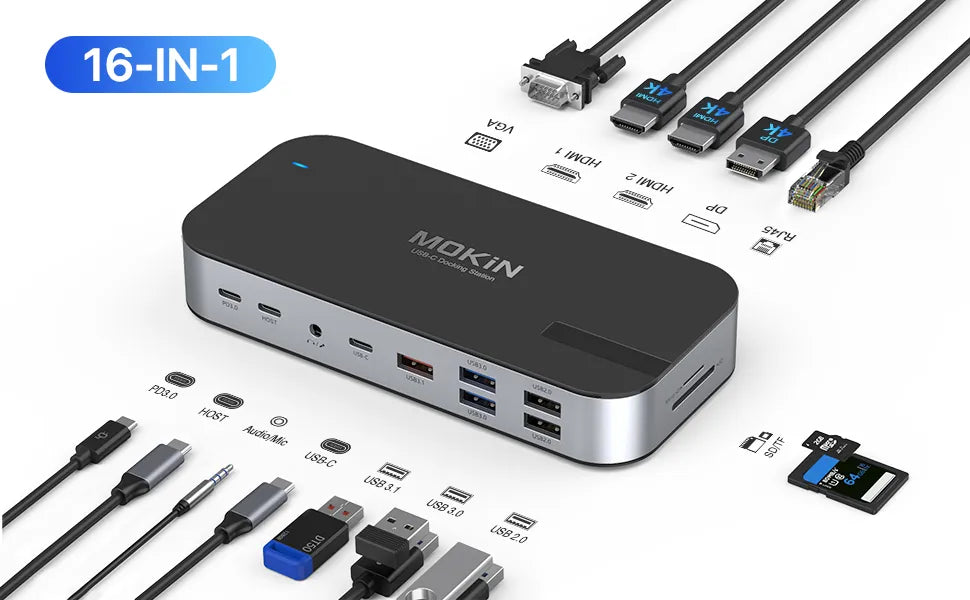
  • 16-IN-1 USB C Docking Station: Equipped with a USB-C PD port (charging only), a Gigabit RJ45 port, 2× 4K HDMI ports, VGA and DisplayPort, SD/TF card slot, 1× USB 3.1 port (up to 10Gbps), 2× USB 3.0 ports, 2× USB 2.0 ports, and 3.5mm Audio & Mic ports. With plug-and-play connection, this USB-C dock helps you work more efficiently.

  • Multiple Display Function: With 2 HDMI ports, this USB-C laptop adapter allows you to extend to 2 different monitors. Our dual-display USB-C adapter supports single and dual HDMI displays up to 3840×2160@30Hz, or triple displays up to 1920×1080@60Hz. Four display modes are available: mirror mode, extend mode, and collage mode.👉Note: macOS laptops only support SST mode, so all external monitors will display the same content.

  • Reliable Data Syncing & Transfer: Our laptop docking station features 1× USB 3.1 port supporting data transfer speeds up to 10 Gbps and 2× USB 3.0 ports compatible with a variety of devices. Built-in SD and MicroSD slots provide access to files from universal SD and MicroSD memory cards, supporting simultaneous reading of 2 cards.

  • 100W PD Charging & Gigabit Ethernet: Supports up to 100W input and 85W (safe) output to your laptop while connecting multiple peripherals. This USB-C dock with a 1000Mbps Ethernet port stands by for laptops without Ethernet sockets when the wireless network is unavailable. The RJ45 port can detect your internet speed and automatically adjust to the appropriate speed, whether it is 10/100/1000Mbps.

  • Wide Compatibility: The USB-C dual-monitor docking station is compatible with Thunderbolt 4 devices, such as MacBook Pro/Air (2018, 2019, 2020), Dell XPS 14/15, Lenovo ThinkPad Yoga, Dell Latitude 7400, HP EliteBook 840 G6, etc. 👉Note: The HDMI/DP function requires that your host device supports video output or DP Alt Mode.
  • MOKIN 16 IN 1 Docking Station MOKIN 16 IN 1 Docking Station

    Triple Monitor Docking Station

    With this USB-C Dual HDMI Host, you can expand your USB-C laptop to multiple displays.

    1. Single DP or HDMI display 4K@60Hz 3840 x 2160 (Source is DP1.4)

    2. Dual display 4K@30Hz 3840 x 2160(HDMI+DP)

    3. Triple display 4K@30Hz 1920 x 1080(HDMI 1+HDMI 2+DP)

    4. Four displays up to 1080p (HDMI 1+HDMI 2+DP+VGA)

    ⚠ Please check the compatibility list before purchasing. Incompatible devices may not support all functions of this USB-C docking station.
    Compatibility List Compatibility List

  • If you are not sure, we will be happy to help you check that this USB-C laptop base is compatible with your device.
  • Note: This USB-C hub is only for laptops with a built-in USB-C port and cannot be used with a USB-to-USB-C converter.
  • Incompatible laptops cannot support HDMI or VGA functions when using this USB-C dual display adapter.
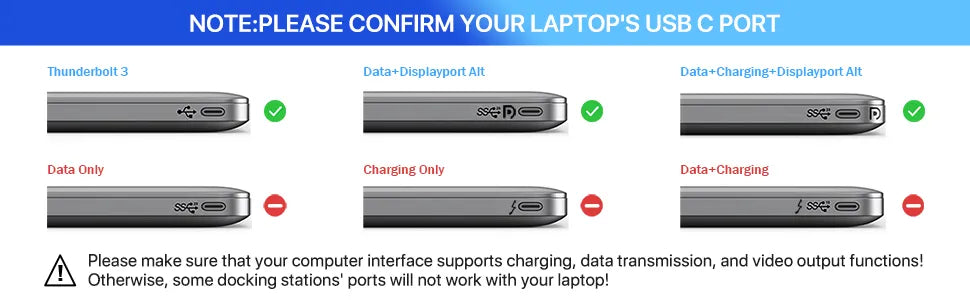
  • Please check the functions supported by your laptop’s USB-C port, such as video output, data transfer, and power delivery. Otherwise, the docking station will only support those functions.
  • 16-IN-1 Docking Station Ports & Functions 16-IN-1 Docking Station Ports & Functions

    Notes: Due to the Intel control panel providing only 4 display data streams, this setup can display up to 3 screens. One of the screens will not be displayed, or you can choose not to display the laptop screen.

    1. On macOS, all external monitors display the same content, regardless of whether they are in mirror or extended mode.

    2. MacBooks with the M1 chip can only extend or mirror one monitor. Due to limitations of the M1 chip, dual monitor output is not supported. Therefore, these products do not support dual monitors on M1 Macs.

    High-Speed Power Charge

    1. Please ensure your laptop's USB-C port supports the power delivery protocol. Most laptops with their own “round-hole, slim-tip” AC charging interface are not supported.

    2. Please use at least a 65W adapter (not included) to charge your device with this docking station. Using a lower-wattage charger may trigger a system warning. We also recommend using the original charger, as it provides a safer, faster, and more stable charging environment.

    Notice: When charging a laptop with the USB-C hub, it supports power delivery up to 100W. The safe output is limited to 87W.

    RJ45 Gigabit Ethernet

    RJ45 Gigabit Ethernet

    This Thunderbolt 3 docking station supports 10/100/1000 Mbps Ethernet, providing a more stable and faster connection than a wireless network. It ensures a smooth and instant wired Internet connection, helping you work more efficiently.

    USB 3.1 Data Transmission Port

    USB 3.1 Data Transmission Ports

    This USB-C docking station is equipped with 1× USB 3.1 port (up to 10 Gbps), 2× USB 3.0 ports (up to 5 Gbps), and 2× USB 2.0 ports (up to 480 Mbps). These multiple USB ports can handle all your daily data transfer needs. It is also a great choice for connecting hard drives, printers, mice, and other USB devices to your USB-C laptop.
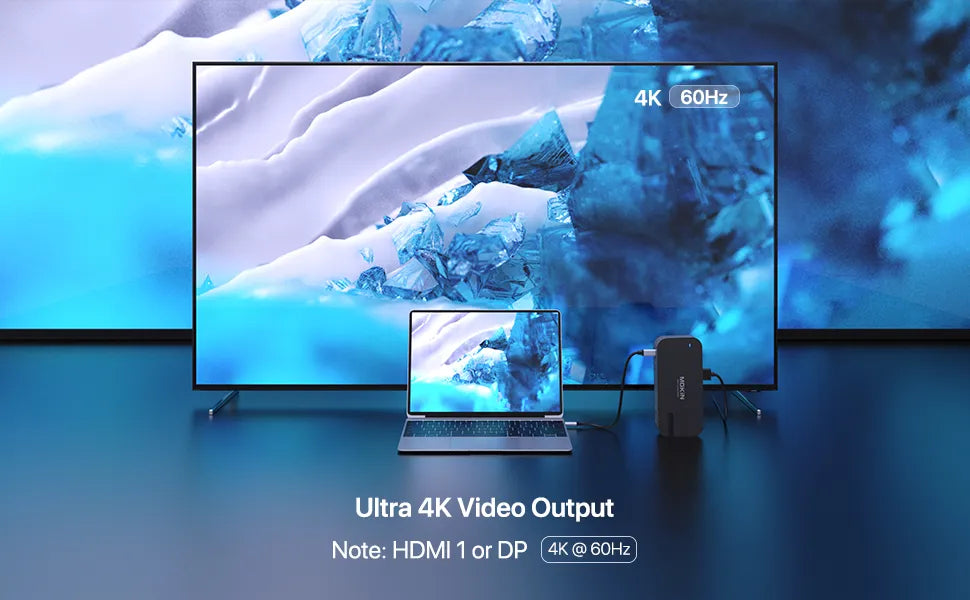
    Ultra 4K Video Output Ultra 4K Video Output
    Mirror and Extend modes are available for up to 1920x1080@60Hz.
    Mirror & Extend Mode for Windows & Mac OS Mirror & Extend Mode for Windows & Mac OS