


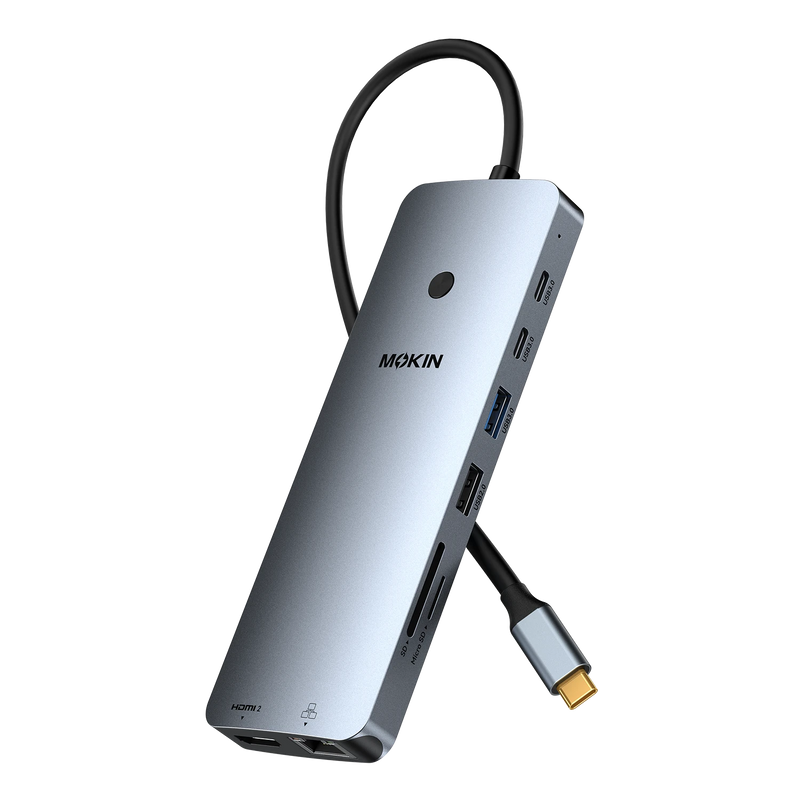


MOKiN 14-in-1 Triple Monitor USB-C Docking Station for Clutter-Free Workspaces
Turn your USB-C laptop into a powerful multi-display workstation with a docking station. Designed for hybrid professionals, remote workers, and creators, it helps reduce desk clutter, expand limited ports, and streamline your workflow with a single connection—while keeping your laptop charged and securing your screen with one-touch lock for all-day productivity.
- Triple Display Support for Multitasking
- One-Touch Screen Lock to Protect Sensitive Information Anytime
- Gigabit Ethernet + 5Gbps USB for Stable Network & Fast Transfer
- 100W PD for Continuous Charging While Working & Creating
PAY WITH EASE


• Complete 14-IN-1 Dock Solution: This laptop docking station for 3 monitors includes 2 HDMI ports, 2 DisplayPort ports, an RJ45 Ethernet port, 2 USB-C 3.0 ports, 1 USB-A 3.0 port, 2 USB-A 2.0 ports, SD/microSD card slots, and a USB-C power delivery port (100W Max). Note:This USB-C docking station for dual monitors is only compatible with laptops featuring Thunderbolt 3/4 or a full-function USB-C port.
• Multi-Display Flexibility: This multi-display docking station combines 2 HDMI and 2 DisplayPort outputs to build a flexible multi-monitor setup for enhanced productivity. It supports common configurations such as 2 HDMI + 1 DP or 2 DP + 1 HDMI, making it easy to switch between multi-monitor setups for multitasking, design, or data work. Note: macOS devices support mirror display only due to system limitations.
• Privacy Protection One-Touch Screen Lock: Short-press to instantly turn off your screen when you step away. Keeps sensitive information private in shared offices, open workspaces, or at home.
• Blazing-Fast Data Transfer & Wired Network: Move files in seconds with 5Gbps USB ports, 10x faster than USB 2.0. Pair with the stable 1000Mbps RJ45 port for seamless video calls, large downloads, and lag-free gaming.
• 100W PD Fast Charging for Your Laptop and Devices: Deliver up to 100W of power through the USB-C Power Delivery port, keeping your laptop charged even when running a multi-display setup. Ideal for users with multiple peripherals, helping prevent low-battery interruptions and reduce cable clutter on your desk. Note: Package includes the product, user manual, and two cables. Charger is not included. A 100W power adapter is required for full-load operation.


A: In most cases, no driver installation is required. The docking station is designed for plug-and-play use on supported operating systems.
A: This is due to macOS system-level display limitations. On many Mac devices, external multi-display setups may only support mirror mode rather than full independent extended screens. This is not a product defect but a system restriction.
A: It works with most laptops that feature a full-function USB-C port supporting video output and data transfer. Devices without video-enabled USB-C ports may only support limited functionality.
A: Yes, a moderate temperature increase is normal during operation. The dock is designed with thermal management systems to maintain safe working conditions even under multi-device load.