





For many iPhone users, the charging port is no longer just for charging. It affects charging speed, data transfer, and how easily the iPhone connects to accessories like monitors, hubs, and docking stations. Over the years, Apple has used three main connector types: the 30-pin connector, Lightning, and now USB-C. Knowing which port your iPhone uses, and what it supports, helps you choose the right cables, chargers, and accessories.
The Three iPhone Charging Ports
Apple has used three charging ports across its iPhone lineup:
| Port | Era | Status |
| 30-pin Dock connector | Original iPhone through iPhone 4S | Historical; no modern accessory relevance |
| Lightning | iPhone 5 through iPhone 14 series and SE models | Still in use by many people |
| USB-C | iPhone 15 and all newer models | Current standard; growing ecosystem |
The 30-pin connector belongs to iPhone history. It does not factor into any modern accessory decision. Lightning still matters because a large number of people use iPhone 12, 13, 14, and SE models daily. But the most important shift for today's buyers is USB-C, because it connects the iPhone to the same accessory ecosystem shared by laptops, iPads, and most modern peripherals.
Which iPhones Have USB-C?
If you are not sure whether your iPhone has USB-C or Lightning, here is a quick reference:
| iPhone Model | Port | Notable USB-C Detail |
| iPhone 17 Pro Max | USB-C | Up to 10Gbps data; 50% charge in 20 min (40W+) |
| iPhone 17 Pro | USB-C | Up to 10Gbps data; 50% charge in 20 min (40W+) |
| iPhone Air | USB-C | 20W MagSafe wireless; USB 2 data speeds |
| iPhone 17 | USB-C | 25W MagSafe wireless; 50% charge in 20 min (40W+) |
| iPhone 17e | USB-C | USB 2 data speeds; MagSafe support; 50% charge in 30 min (20W+) |
| iPhone 16 Pro Max | USB-C | Up to 10Gbps data; 25W MagSafe |
| iPhone 16 Pro | USB-C | Up to 10Gbps data; 22W MagSafe |
| iPhone 16 Plus | USB-C | USB 2 data speeds; 25W MagSafe |
| iPhone 16 | USB-C | USB 2 data speeds; 22W MagSafe |
| iPhone 16e | USB-C | No MagSafe; 7.5W Qi wireless only |
| iPhone 15 Pro Max | USB-C | Up to 10Gbps data |
| iPhone 15 Pro | USB-C | Up to 10Gbps data |
| iPhone 15 Plus | USB-C | USB 2 data speeds |
| iPhone 15 | USB-C | USB 2 data speeds |
| iPhone 14 and earlier | Lightning | Not USB-C |
| iPhone SE (all generations) | Lightning | Not USB-C |
Any iPhone 15 or newer uses USB-C. All older models, including every iPhone SE released to date, use Lightning.
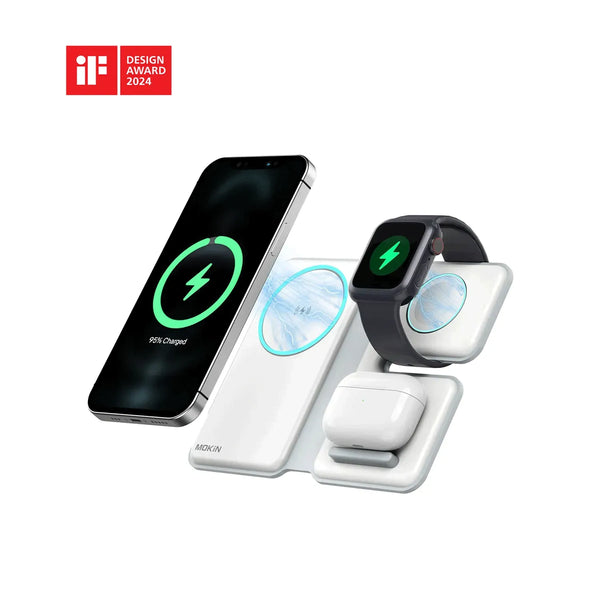
MOKiN 3 IN 1 Magnetic Wireless Charging Station For iPhone
Why Your iPhone Model Matters for USB-C Accessories
One of the most common points of confusion is that all USB-C iPhones look the same from the outside, but they do not all perform the same way.
Apple confirms that Pro models (iPhone 15 Pro, 16 Pro, and 17 Pro) support USB 3 speeds up to 10Gbps with a compatible USB 3 cable. Standard models such as the iPhone 15, 16, and 17 support USB-C for charging and, on supported models, display output, but data transfer runs at USB 2 speeds (up to 480Mbps). Some entry models, including iPhone Air, iPhone 16e, and iPhone 17e, do not support external display output over USB-C.
This matters most in two situations:
Transferring large files. Moving ProRes video, RAW photo libraries, or large backups to an external drive will be significantly faster on a Pro model with a 10Gbps-capable cable and hub. On a standard iPhone, the same transfer runs at USB 2 speeds regardless of how fast the drive or hub is rated.
Choosing a hub or cable. For Pro iPhone users who work with large files, a hub with 10Gbps data ports and a USB 3 cable is worth the investment. For everyday iPhone users, a standard USB-C hub with PD charging and HDMI is usually sufficient.
Fast Charging: What Actually Makes a Difference
Fast charging on iPhone depends on three things working together: the iPhone model, the power adapter wattage, and the cable. Apple confirms that iPhone 8 or later supports fast charging with a compatible USB-C power adapter and cable.
Here is how the current iPhone lineup breaks down:
| iPhone Model | Fast Charge to 50% | Adapter Required |
| iPhone 17, 17 Pro, 17 Pro Max | ~20 minutes | 40W or higher USB-C PD |
| iPhone 17e, iPhone Air | ~30 minutes | 20W or higher USB-C PD |
| iPhone 16 series, iPhone 15 series | ~30 minutes | 20W or higher USB-C PD |
For Lightning iPhones (iPhone 8 through iPhone 14), fast charging also works: you need a USB-C to Lightning cable and a USB-C PD adapter of 20W or more.
A practical point worth noting: Apple no longer includes a charger in the box. Any iPhone bought new will need a separate USB-C power adapter to fast charge. A multi-port USB-C charger that handles an iPhone, laptop, and tablet simultaneously is a straightforward upgrade for most desk and travel setups. MOKiN's USB-C charger lineup is designed around exactly this use case.
What USB-C Actually Unlocks Beyond Charging
Once a user has a USB-C iPhone, they have access to a connection standard that goes well beyond charging. A USB-C hub can turn a single iPhone port into a more capable workstation connection, and depending on the hub, can add ports that the iPhone does not have on its own.
Common things a USB-C hub enables with a compatible iPhone:
Note: External display support depends on the iPhone model. iPhone Air, iPhone 16e, and iPhone 17e do not support external display output over USB-C.
| Connection | Practical Use |
| HDMI or DisplayPort | Connect to an external monitor, TV, or projector; useful for presentations and media |
| USB-A ports | Connect older peripherals, keyboards, flash drives, or mice |
| SD / TF card reader | Import photos and videos from cameras directly |
| External SSD or USB drive | Back up or transfer files without needing a computer |
| Ethernet | More stable wired network connection for video calls or large uploads |
| PD pass-through charging | Charge the iPhone while using the hub |
This is particularly useful for photographers, videographers, or content creators who use an iPhone Pro as their primary camera and want to offload files quickly. It is also relevant for anyone who wants to connect an iPhone to a monitor for a larger screen during travel or a presentation.
MOKiN's USB-C hub collection includes options with 4K HDMI, PD charging pass-through, USB-A data ports, SD/TF card readers, and 10Gbps data ports, covering the main connection needs for both everyday and creative iPhone users.
When a Docking Station Makes More Sense
A compact USB-C hub is well suited to travel or occasional use. A docking station is better suited to a permanent desk setup where the user wants everything connected through a single cable.
A docking station is worth considering when the user needs to:
- connect to one or more external monitors at the desk
- use Ethernet for a consistently stable network
- keep a keyboard, mouse, external storage, and other peripherals connected and ready
- charge devices through one central point
- switch between working from a laptop, tablet, or iPhone without reconnecting everything
MOKiN's docking station range includes products with dual HDMI output, Gigabit Ethernet, 10Gbps data transfer, and high-power charging delivery — features that go beyond what a travel hub provides, and that make sense for users building a cleaner, more capable workspace around USB-C devices including newer iPhones.
Lightning vs USB-C: The Practical Differences
| Lightning | USB-C | |
| Connector type | Apple proprietary | Open industry standard |
| Reversible plug | Yes | Yes |
| Used by | iPhone 5 through iPhone 14, all iPhone SE models | iPhone 15 and all newer models |
| Data speed | USB 2 (up to 480Mbps) | USB 2 on standard models; up to 10Gbps on Pro models |
| Charging ecosystem | Works with USB-C to Lightning cables and USB-C PD adapters | Native USB-C throughout |
| Hub and accessory support | Limited | Wide; same standard as most modern laptops and tablets |
| Trajectory | Phased out on new iPhones since 2023 | Expanding across current and future models |
The key practical difference is ecosystem. A USB-C iPhone can share cables and chargers with a MacBook, iPad, power bank, and many Android devices. Lightning requires a separate cable. For users who own both a Lightning iPhone and multiple USB-C devices, the friction adds up over time.

How to Choose the Right Setup for Your iPhone
The right setup depends on how you actually use your phone. A few common situations:
You mainly charge at home or in the office. A USB-C PD charger and a quality USB-C cable are enough. If you also charge a laptop, a multi-port USB-C charger handles both.
You travel frequently. A compact USB-C hub reduces the number of adapters you carry. Look for one with HDMI, USB-A, and PD pass-through so you can connect to a hotel display, plug in a peripheral, and charge all from one device.
You transfer large photos or videos. Check your iPhone model first. If you have a Pro model (iPhone 15 Pro, 16 Pro, or 17 Pro), pair it with a USB 3-rated cable and a hub with 10Gbps data support to get the full transfer speed. Standard iPhone models will move files at USB 2 speeds regardless of hub rating.
You connect to an external monitor. A USB-C hub with 4K HDMI or DisplayPort output is the cleanest solution. Compatible with both iPhone and laptop, it avoids the need for a separate display adapter.
You work from a desk with multiple devices and peripherals. A docking station is the practical choice. It keeps monitors, Ethernet, storage, keyboard, and charging all connected and ready, and lets you switch between a laptop and iPhone without unplugging anything.
Final Thoughts
The iPhone charging port has moved from 30-pin Dock to Lightning and now to USB-C. For users, this shift is about more than a new cable.
USB-C brings the iPhone into the same connection standard used by most modern laptops, tablets, monitors, and accessories. That means one cable can often handle charging across multiple devices, one hub can serve both an iPhone and a MacBook, and one docking station can anchor an entire desk setup.
If you need to do nothing more than charge your iPhone, a reliable USB-C cable and PD charger are all that is required. If you want to transfer large files, connect to a display, add ports, or build a cleaner workspace around your devices, a USB-C hub or docking station can significantly expand what a single iPhone port makes possible.
As every new iPhone continues to ship with USB-C, accessories that support PD charging, HDMI, Ethernet, SD/TF cards, and high-speed data transfer will only become more practical. MOKiN's USB-C hubs and docking stations offer practical options for charging, display expansion, file transfer, and everyday workstation needs, and work across the iPhone, iPad, and MacBook ecosystem that most users are already building toward.


