




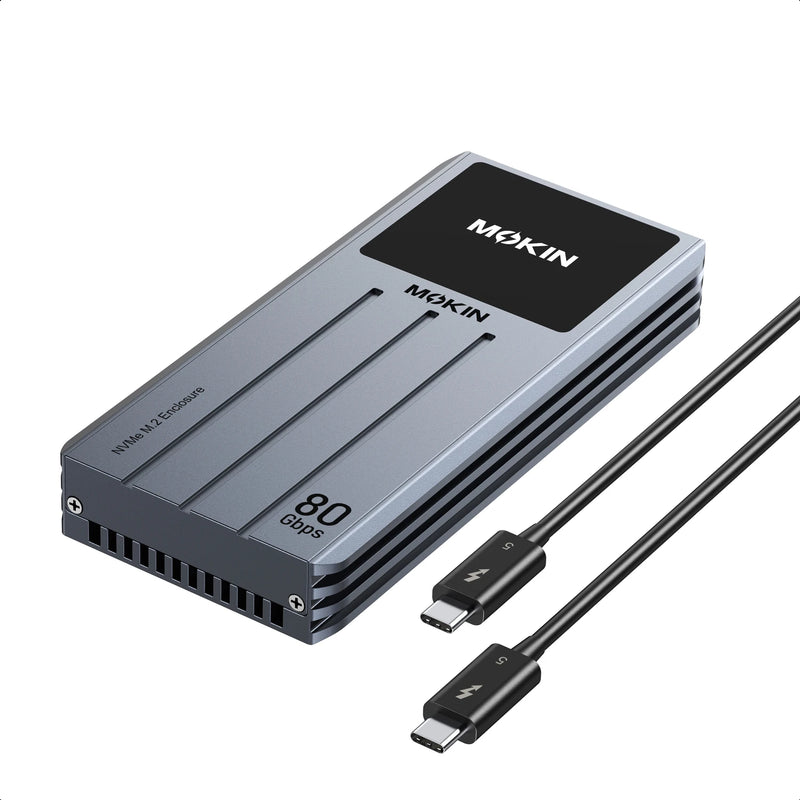


MOKiN Thunderbolt 5 SSD Enclosure 80Gbps Speed
Unleash 80Gbps speeds with the NVMe Enclosure. Fueled by a turbo cooling fan and smart status display, it unlocks full potential for 8K workflows, massive backups, and gaming on Thunderbolt 5 devices.
- True 80Gbps Speed for Thunderbolt 5
- Active Turbo Cooling with Silent Fan
- Real-Time Smart Status Display
- Supports NVMe SSDs up to 8TB
PAY WITH EASE


• Ultra-Fast 80Gbps Transfer Speed: Featuring the advanced Intel JHL9480+RTL9210B chipset, this NVMe M.2 SSD Enclosure delivers a maximum transmission rate of 80Gbps—doubling the speed over Thunderbolt 4/USB4. Achieve blazing-fast file transfers and seamless performance in 8K video editing, large-scale backups, and data-intensive tasks. Note: 80Gbps requires a Thunderbolt 5 computer interface and cable. Transfer speeds may vary depending on cables, devices, and SSD models.
• Smart Status Display: The M.2 NVMe SSD enclosure features a dynamic screen that provides real-time, at-a-glance monitoring of its health. It shows crucial metrics like temperature (Normal/Medium/High) and active fan speed to ensure optimal performance. Clear prompt icons intuitively remind you of fan abnormalities or overheating issues, ensuring peace of mind during intensive transfers.
• Active Cooling Silent Fan: Equipped with a smart cooling fan and an aluminum heatsink enclosure, this 80Gbps NVMe Enclosure actively prevents thermal throttling to maintain peak SSD performance. Engineered for virtually silent fan operation. The fan intelligently auto-activates at high temperatures and switches off when cooled, ensuring optimal stability and extending your drive's lifespan during intensive data transfers.
• Universal Compatibility: MOKiN 80Gbps SSD Enclosure delivers top-tier performance and is universally compatible with Thunderbolt 5/4/3 and USB4/3.2/3.1/3.0/2.0 ports on modern Mac (M1/M2/M3/M4 series) and Windows PCs. Note: To achieve the maximum 80Gbps speed, ensure your host device, cable, and port all support the same high-speed standard.
• 8TB Capacity Support: Specifically designed for high-capacity NVMe M.2 SSDs, supporting 2280/2260/2242/2230 form factors with capacities up to 8TB. Perfect for expanding storage for pro-grade media libraries, game collections, or project archives. Note: Compatible with Windows, macOS, and Linux. Does not support SATA M.2 SSDs (B-Key).


Display Screen and Cooling Fan for Real-Time Monitoring
1. When the fan malfunctions (stops spinning) or the internal temperature exceeds 60°C, an error message will be displayed on the screen.
2. The screen automatically turns off after 300 seconds of inactivity. Pressing any button will wake it up. Pressing the button three times displays the brand logo, and pressing it once returns from the version number screen to the main interface.
3. Automatic Fan Mode (Default): The fan is controlled by internal temperature. It remains off at 30°C or below and automatically turns on at 40°C or above. In sleep mode, the fan remains off below 40°C.
4. Manual Fan Override: To manually override the automatic control, press and hold the button for 2-3 seconds to force the fan on or off. When manually overridden, the fan is no longer controlled by temperature.
5. For the first 60 seconds after power-on, the fan follows the automatic temperature control logic. After this initial period, it will automatically turn on if no button is pressed.


