


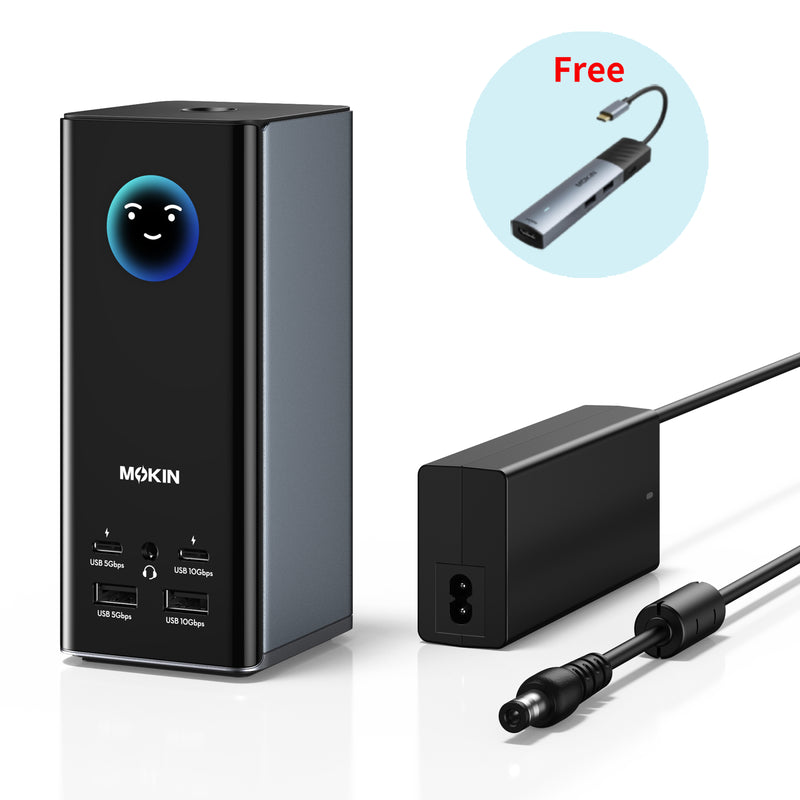


MOKiN 18-in-1 Docking Station with Smart Display – Free 7-in-1 USB-C Hub Included
Upgrade your workspace with the MOKiN Smart LCD Docking Station, designed for professionals and multitaskers who need more screens and less cable clutter. Its compact upright design saves desk space while supporting efficient multitasking, fast file transfers, and broad device compatibility.
- Triple 4K Display Support for macOS and Windows
- Smart LCD Display for Real-Time Port and Connection Status
- 10Gbps Ultra-Fast Data Transfer
- Innovative Upright Design & Screen-lock Button
PAY WITH EASE


• 18-in-1 USB-C Docking Station for macOS and Windows: Designed for professionals and multi-device users, this all-in-one docking station combines 3 HDMI + 2 DP ports, 1 USB-A port (10Gbps), 1 USB-A port (5Gbps), 1 USB-C PD ports and 1 USB-C PD port,2 USB-A ports (480Mbps), 150W DC input, 1gigabit Ethernet, SD/microSD card, and a 3.5mm AUX jack connectivity into one streamlined setup—helping reduce cable clutter and improve everyday workflow efficiency. It is recommended to connect mouse or keyboard receivers to the 480Mbps USB-A ports.
• Triple 4K Display for macOS and Windows: Boost your multitasking with triple 4K displays on macOS, extending your screen to up to 3 monitors in stunning clarity. All HDMI and DP ports require the installation of SM77x drivers and do not require the computer to natively support video output (at least data function is required, pure charging ports are not acceptable). macOS users need to manually download the drivers, while Windows 10 or later systems can update and use them directly.
• 10Gbps Data Transfer: Equipped with USB 3.1 Gen 2 (2 USB-C + 1 USB-A), this dock delivers up to 10Gbps speeds – transfer a 20GB file in as little as 20 seconds. Perfect for large media, backups, or daily multitasking, for a fast, reliable transfer experience.
• Innovative Upright Design & Smart Screen-Lock Button: The compact vertical dock features an aluminum finish, magnetic base, and 80cm cable, keeping your desk cleaner and more organized while saving workspace. The built-in LCD screen shows real-time port connection status at a glance, and the screen-lock button instantly hides sensitive information when you step away.
• Wide Compatibility: The USB-C docking station supports USB-C, USB-A, USB4, and Thunderbolt connections. Compatible with all macOS, Windows 10 and 11, and USB-A laptops (driver installation required for SM77X).
• What You Get: MOKiN 18-in-1 Triple Display Docking Station, USB-C cable, USB-A upstream cable (2.62 ft), 150W DC power adapter, safety sheet and user manual, 12-month warranty, and our friendly customer service.


A: Yes. All HDMI or DP ports require the SM77x driver to function. The host device does not need to support video output—it only needs to support data transfer (charging-only ports are not compatible). macOS users will need to manually download the driver, while Windows 10 or later systems can be directly updated and used in the system.
A: Yes. The docking station supports multi-display expansion on both macOS and Windows systems after installing the required driver. Actual display performance depends on your system configuration, driver setup, and connected monitors.
A: The built-in LCD screen provides real-time connection information, allowing you to quickly check the status of connected ports and devices without interrupting your workflow.
A: Yes. The upright design with a stable base helps save desk space while keeping the dock organized. It provides easier access to ports and creates a cleaner workspace setup.