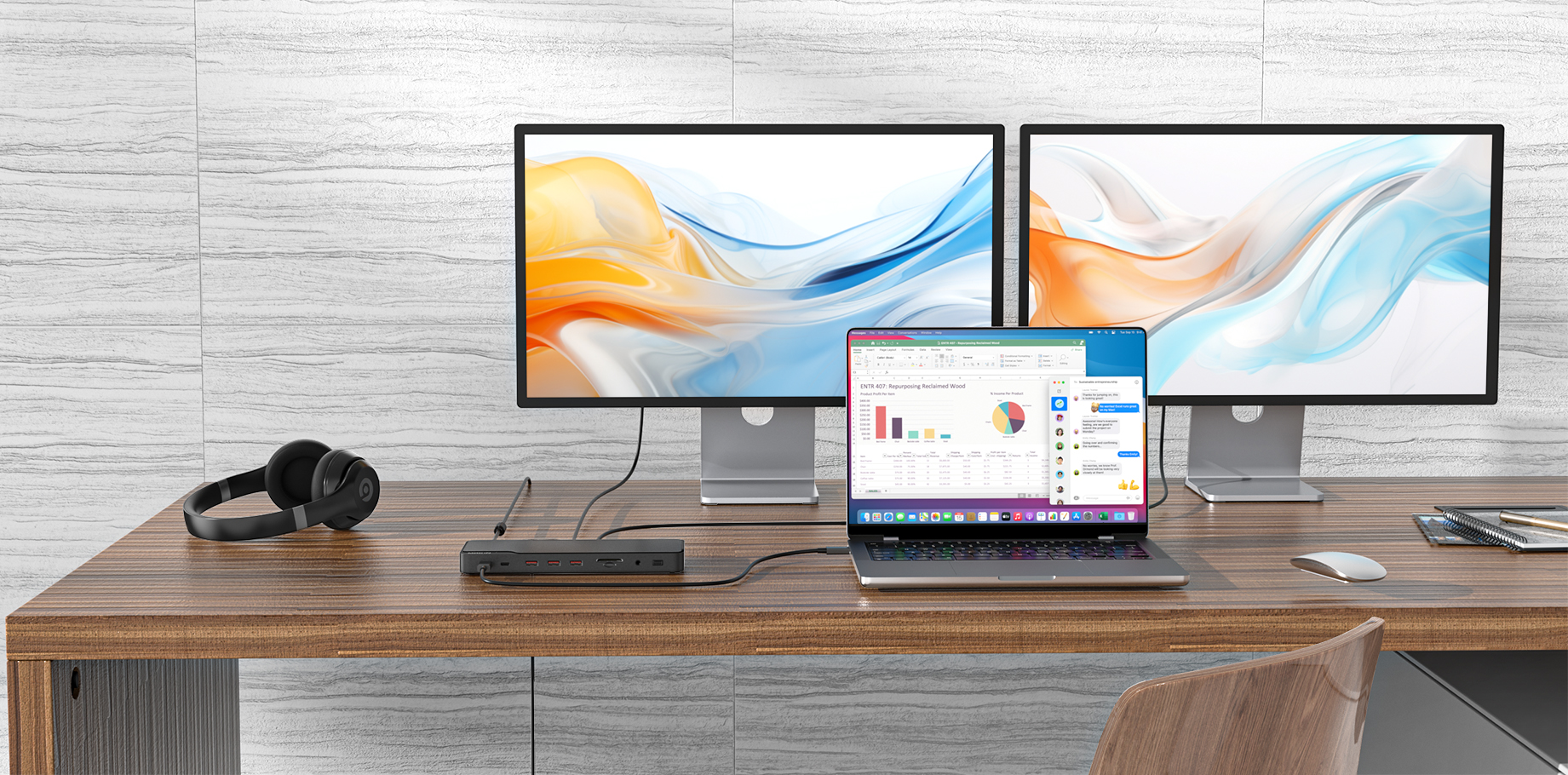
In order to better solve your problem, please assist us with the following information: 1) Please open the display settings of your laptop and provide pictures of the display that cannot be recognized; 2) Could you provide us with the overall connection diagram of the laptop, monitor and hub or detail video; 3) Please try to upgrade the graphics card driver.
ad 1) Here are the display settings if I connect one of the two screens DIRECTLY to my laptop. When I connect it through the hub only the laptop screen is shown.
Ad 2) I have two HDMI/HDMI cables connecting from the hub to both the external screens. I also have other USB-A and USB-C connections, all of which are working fine. I also tried disconnecting all cables except one HDMI connection to one of the external screens, but nothing helps.
This setup works perfectly with other laptops (including the external screens).
Ad 3) The graphics card driver is most current. Here are screenshots of my device manager:
I am using the original power cable and another high quality cable to connect the laptop (and it works fine on other, even older laptops).
Device Manager tells me that the most recent driver is installed. I tried running the "RCDTool" from the source mentioned above but that didn't help at all. Are there any specific installation instructions for the driver?
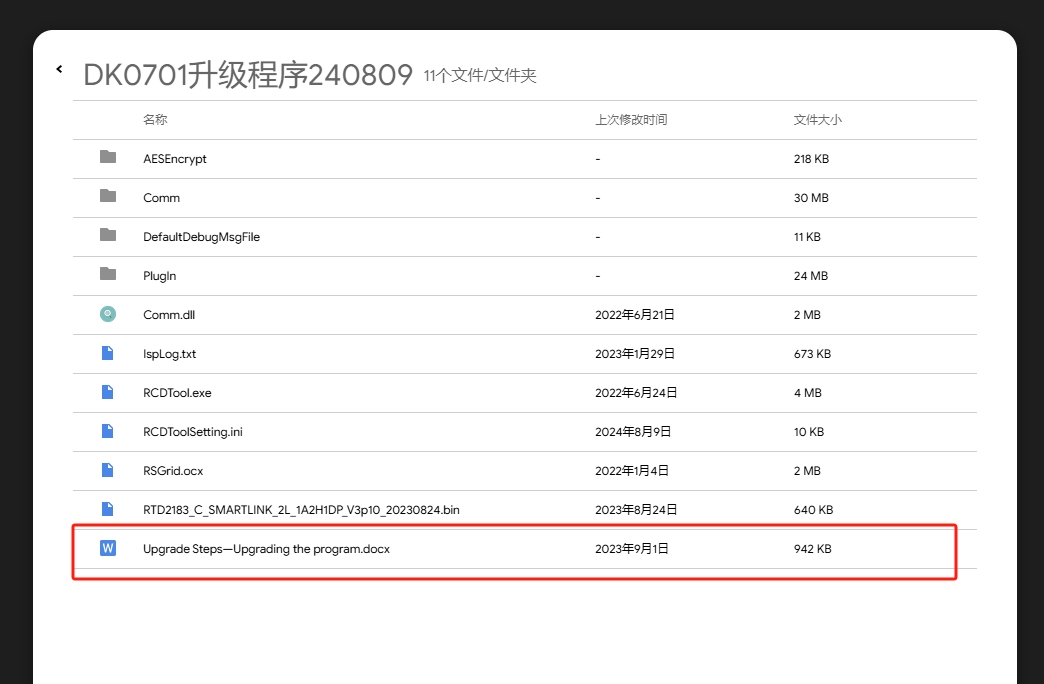
Find the upgrade driver steps document and follow the steps to upgrade. Please get in touch with us if you encounter any problems during the upgrade process.
You need to use your Dell laptop to upgrade the program . Please try again:
Note: The connection cable between DK0701 and the monitor must be HDMI-HDMI/DP-DP, not other cables such as HDMI-DP/USB-C-HDMI.
Steps: 1. Connect DK0701 to your Dell laptop, and then connect an HDMI monitor to DK0701; After the monitor displays correctly, use the upgrade program:
3. After the upgrade is complete, switch to an ASUS laptop for testing.
4. Open the display settings and see if the display settings can be recognized when connected to the ASUS laptop after the upgrade. (Please provide pictures)